Quick Access toolbar – A customizable toolbar that provides the most commonly used buttons for easier access to reduce clicks and improve productivity.
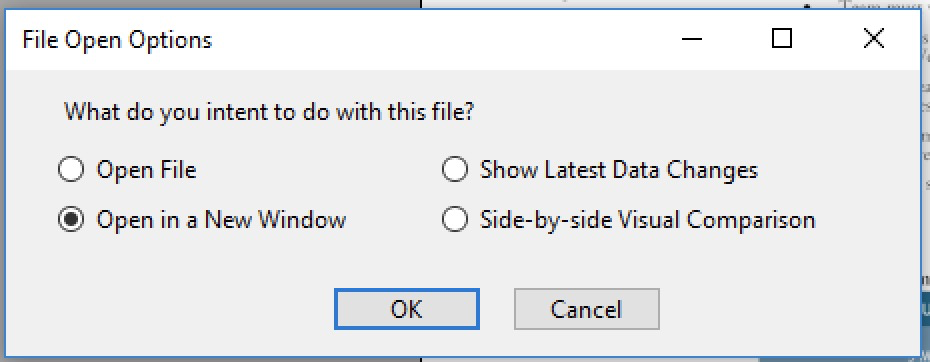
Open Mode – Alternative options for file open operation are now provided: Press Shift when clicking on a file on the popup menu for versions of the file.
Data and Visual Changes – Grackle PDF now provides a convenient comparison tool to monitor data object changes in memory, and page visual change between two files.
Parent Tree Visualization
Connection Lines – The UI shows MCID mapping by page visually, with marked sequences from XObjects also shown, in columns determined by the actual composition of the pages.
Space Insertion Wizard
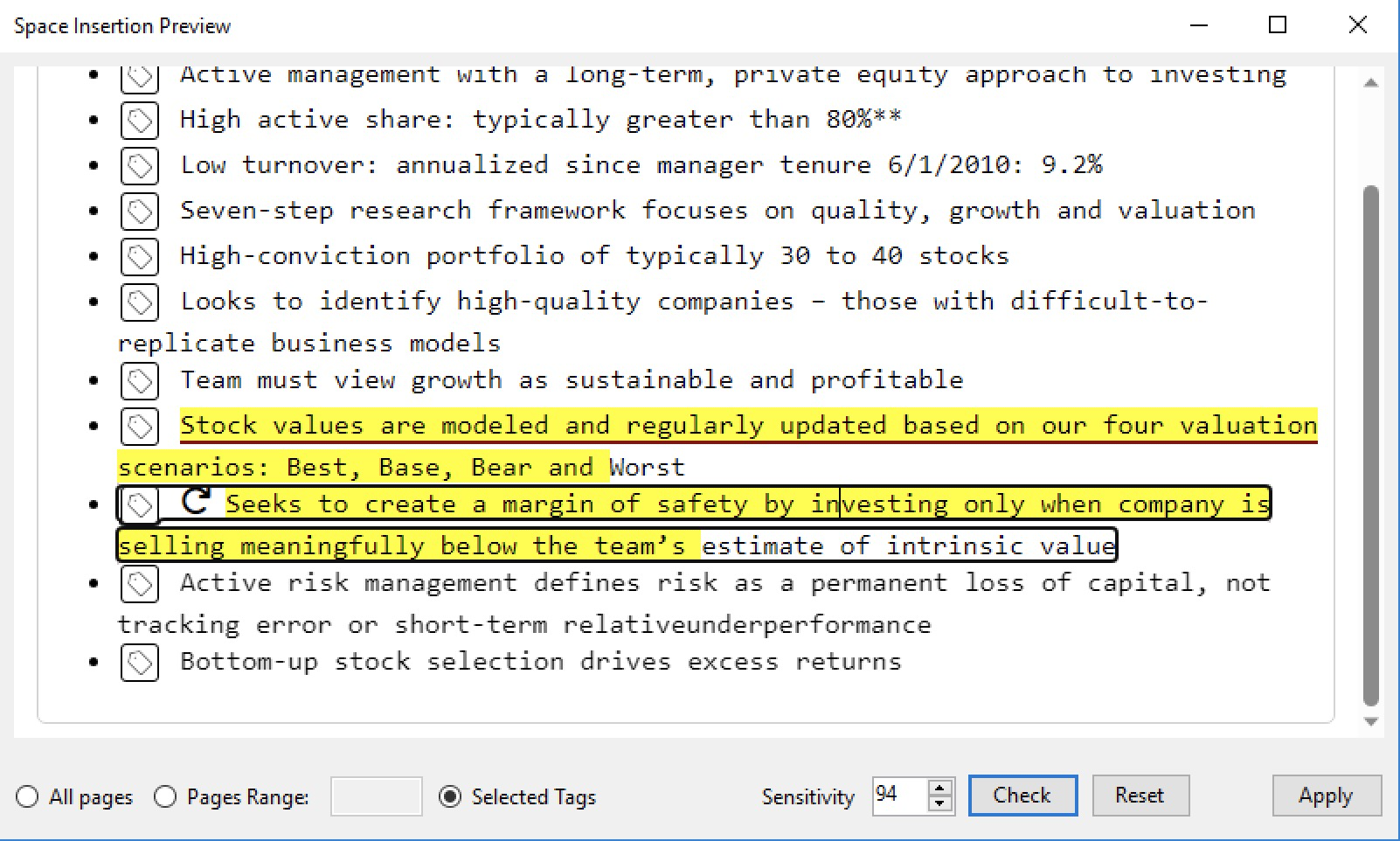
New UI – In-place preview and limited editing (on space only) is provided for best convenience. Changes actualized when you are saving the file. You can also reset the added spaces in a tag.
Embedded Space – It now always embeds a special font for space character.
Artifacts – Artifacted content will not be processed for space insertion.
Table Wizard Update
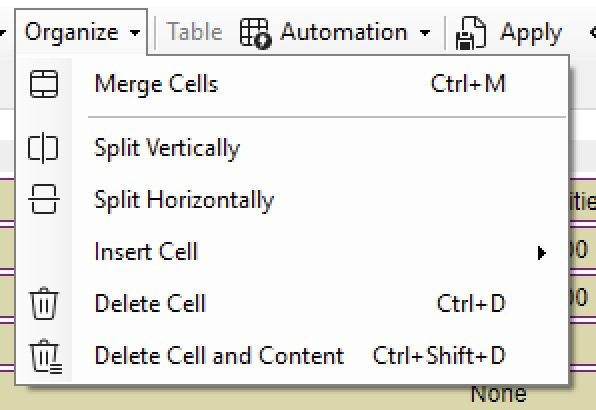
Cell deletion – Options for cell deletion or cleanup are now provided for precise control.
Cell ID uniqueness ensured, to preserve attributes on tables that demonstrate conflicting IDs, possibly resulting from table merging.
This website uses cookies to enhance your experience. You can adjust your cookie settings at any time. For more information about how we use data, please read our privacy policy.
Essential cookies and services enable basic functions and are necessary for the proper functioning of the website. These cookies and services do not require user permission according to GDPR.
This category includes all cookies, domains, and services that do not fall into the other specified categories or have not been explicitly categorized.