
Catch accessibility bugs faster, cheaper, and earlier in development.
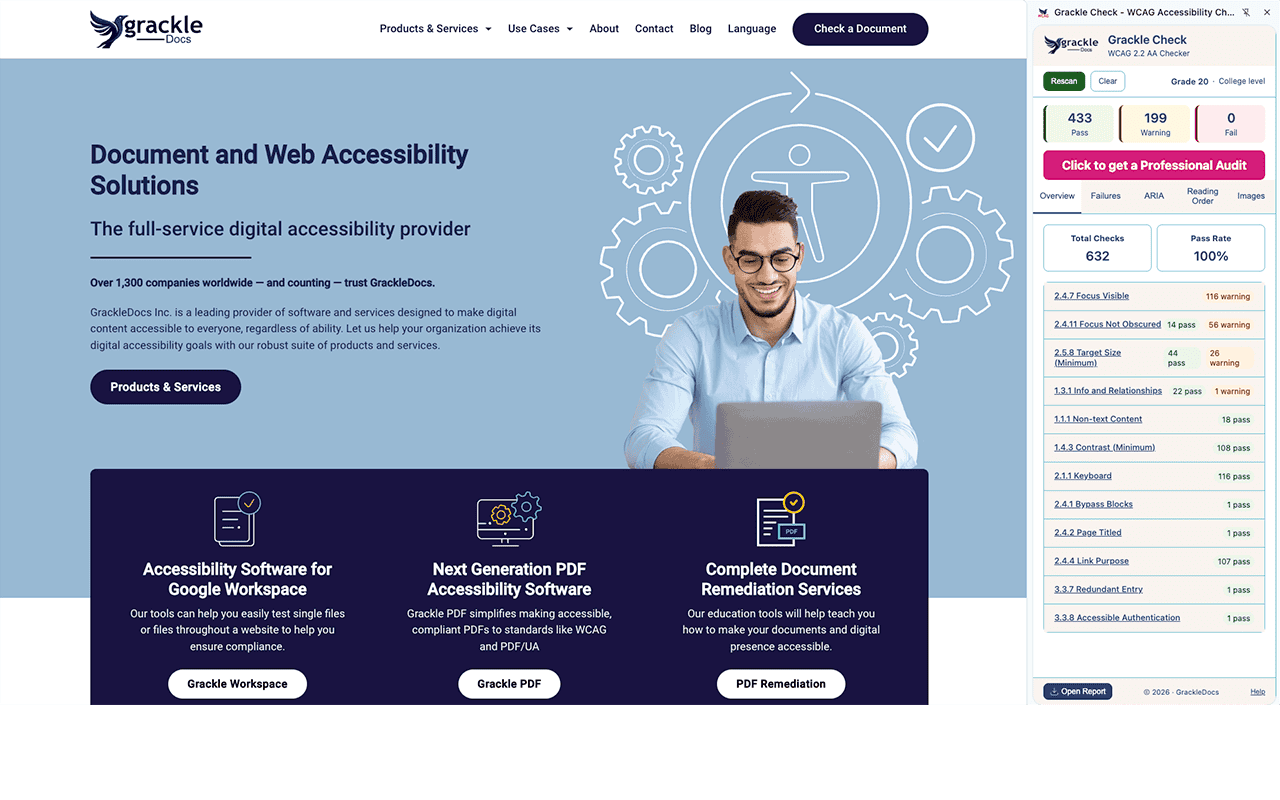
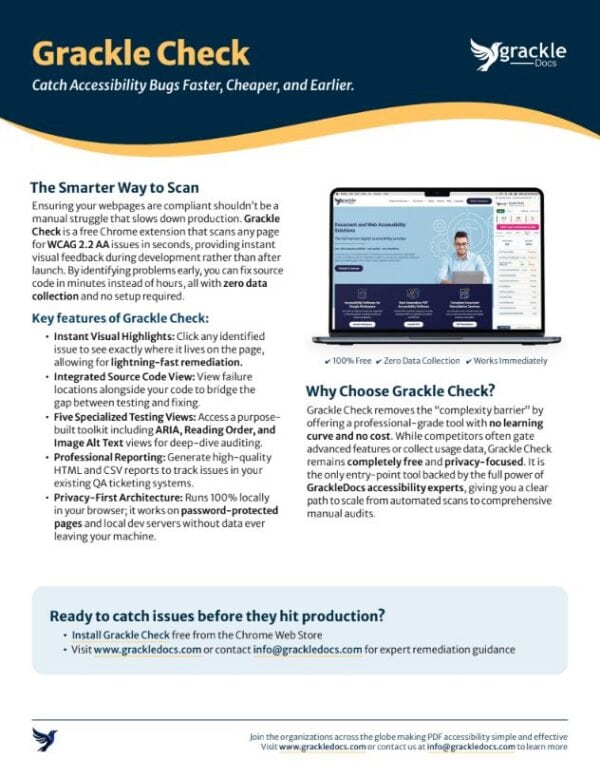
Grackle Check is a free Chrome extension that scans any webpage for WCAG 2.2 AA accessibility issues in seconds. Visual highlights show you exactly where problems are. Click any issue to see the source code and fix it in minutes instead of hours—no setup, no accounts, no data leaving your browser.
- 100% free
- Zero data collection
- Works immediately
No setup.
No learning curve.
Start scanning in seconds.
Catch bugs faster. Fix them in seconds.
Grackle Check gives you instant visual feedback during the dev process, not after launch. Click any issue to see exactly where it is on the page and view the source code so you can fix it in seconds instead of hours. Makes accessibility testing part of your daily workflow.
Add accessibility testing without the complexity.
Integrate seamlessly into your existing QA workflow with zero setup. Grackle Check generates professional HTML and CSV reports you can share with stakeholders and track in your systems. No learning curve. Start scanning immediately.
Drive WCAG compliance without breaking the bank.
Grackle Check is your free starting point for government, education, and enterprise accessibility requirements. Automated checks handle the heavy lifting to identify issues fast. When you need full compliance and remediation guidance, GrackleDocs accessibility experts scale with you.
Trusted by developers, QA teams, and organizations across government, education, and enterprise.
• Integrated Source Code View
• Five Specialized testing Views
• Professional Reporting
• Privacy-First Architecture
Who is Grackle Check for?
Five specialized views. One free extension.
Overview View
Compliance Score at a GlanceSee your pass/fail breakdown, overall compliance score, and reading level analysis in one dashboard. Your starting point for every scan.
Failures View
Visual Highlights & Source CodeFilter failures by category. Click any issue to highlight it on the page in real-time. View the source code so developers can fix it in seconds.
ARIA View
Attribute & Role BrowserInspect every ARIA attribute and role on the page. Essential for consultants and developers building or auditing complex interactive components.
Reading Order View
Screen Reader SequenceVisualize the exact order a screen reader would traverse your page. Identify logical flow failures that automated checks often miss.
Images View
Alt Text ReviewInventory every image on the page with its alt text status. Flag missing, empty, or potentially redundant descriptions in one place.
Frequently Asked Questions
- Is Grackle Check really completely free with no hidden costs?
Yes. Grackle Check is completely free with no trial period, no feature gates, no accounts required, and no data collection. You install it from the Chrome Web Store and start scanning immediately. It’s our way of making accessibility testing accessible to everyone.
When you’re ready for comprehensive manual audits, remediation strategy, and ongoing compliance support, GrackleDocs offers professional services. But the extension itself will always be free.
- It’s completely free —Axe DevTools charges for advanced features.
- Grackle Check includes Focus Order and Disable CSS views for manual testing that competitors don’t offer for free.
- A privacy-first architecture means nothing leaves your browser—we do not collect usage data.
- Grackle Check has a five-view interface that is purpose-built for different user workflows rather than a one-size-fits-all output.
What about my accessibility data? Is this secure and private?
Grackle Check runs entirely in your browser with zero data collection and zero data transmission. Every scan happens on your machine. Nothing leaves your computer. We use a strict Content Security Policy with no inline scripts, no eval, and no remote sources.
You can scan password-protected internal pages, staging environments, and local development servers without any privacy concern. Your content is yours alone.
How does Grackle Check compare to WAVE, Axe DevTools, and Lighthouse?
All three are solid tools, and each has value. Grackle Check differentiates in a few specific ways:
Each tool has its strengths; the question is which one fits your team’s workflow and values.”
Built by accessibility experts. Built to last.
Privacy-First Architecture
100% local processing. Strict Content Security Policy. Zero data collection or transmission. Your content never leaves your machine.
Compliant by Design
The extension itself is fully keyboard-navigable with complete ARIA accessibility throughout—because we mean it.
Chrome Web Store Verified
Published and maintained on the Chrome Web Store. Regular updates with new criteria and improvements.
Trusted by teams in
- Government
- Education
- Enterprise
- Healthcare
- Financial Services
Start scanning in seconds
Need More Than Automated Checks?
