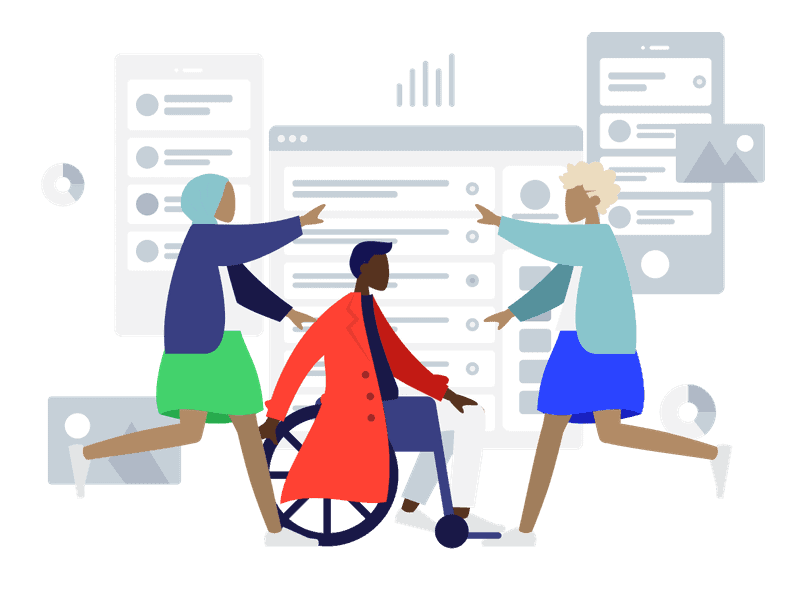

Every year, Global Accessibility Awareness Day (GAAD) serves as a vital marker for digital inclusion. It is a day where the tech and corporate worlds tune in to discuss the over one billion people globally who live with disabilities or impairments. But as a digital accessibility solutions company, we wanted to use this GAAD to look past the standard celebratory statements.
We wanted to open up a transparent, honest dialogue within our company and our community about how document accessibility actually functions in modern workflows. We asked the difficult, practical questions, and the insights we gathered point to a systemic issue.
While organizations are getting incredibly good at passing automated compliance tests, we are still missing the mark on real, human usability. If we want to move the needle on digital equity, it is time to face an uncomfortable truth: automated checkers are a solid baseline, not a definitive strategy.
Here are the three core tensions redefining document accessibility today.
1. The Boundary Between Scanning and Understanding
Artificial intelligence and automated text generation have taken center stage in productivity discussions. It is now incredibly simple to deploy algorithms that scan a graphic and instantly generate alternative text, or scan a document to fix contrast issues. On paper, it looks like an accessibility miracle.
But as we discussed with our community during this GAAD, automation consistently fails a crucial test: it can identify objects in an image, but it rarely understands the author’s intent.
A classic example lies in corporate reporting. An automated tool might scan a complex chart and apply an alt-text description that reads: “A blue line graph with a distinct data point spike.” From a purely programmatic standpoint, that image now has an asset description. A basic compliance scanner will grant it a green checkmark and mark the task complete.
But for a user relying on assistive technology, that description is practically useless. It tells them what the image looks like, but fails to communicate why it matters to the narrative. If that line graph actually represents a 15% drop in quarterly revenue, that is the information that needs to be communicated.
Accessibility is an act of translation and communication. An algorithm can detect pixels, but only a human understands the context. When we rely solely on automation to check the box, we satisfy the machine while leaving the human reader behind.
2. Compliance vs. Usability
Beyond the technical boundaries of software and automation, another core topic we explored during our GAAD sessions was the critical distinction between legal compliance and actual usability. This led our community into a deeper debate about the friction between technical standards and real-world user experience. The consensus among digital creators and remediation specialists was unanimous: A document can be 100% compliant according to a validator and still be a total nightmare to navigate in practice.
How does this happen? It happens because automated checkers look for the presence of structural rules rather than their cohesion.
A PDF document can pass an automated validator because every single element has been assigned a structural tag. The software checks its lists, sees that the headers, paragraphs, and tables are labeled, and signs off on the file. But if those tags were generated out of order, or if a complex table structure tree was auto-remediated into a fractured reading sequence, a screen reader user will experience absolute chaos. The document will technically be “accessible” by a checker’s standards, but completely un-navigable for a human being.
Technical standards such as WCAG principles and PDF/UA specifications provide the necessary engineering rules for digital structures. But organizations often mistake these technical baselines for the final goal. Compliance is merely the bare minimum required to enter the digital space. Usability is what happens when we design with the actual end-user experience in mind.
3. Accessibility Must Be Baked In
Finally, we tackled the question that plagues every enterprise operations team: Who should actually own accessibility in a document’s lifecycle? Should it be the author who writes the text, the designer who formats the layout, or the compliance specialist who runs the final audit?
In traditional corporate workflows, accessibility is treated as a final, reactive phase. A document is researched, drafted, designed, and approved. Right before it is uploaded to the web or emailed out to a mass distribution list, it is handed off to a compliance team or a remediation specialist to be “fixed.”
This model is fundamentally broken. Trying to patch accessibility errors onto a finalized, locked PDF is the operational equivalent of trying to add a plumbing system to a house after the concrete has cured and the walls are painted. It creates massive production bottlenecks, drives up labor costs, and forces remediation teams to spend hours manually re-tagging content.
The overwhelming takeaway from our GAAD conversations is that accessibility cannot remain a post-production task. It requires a permanent cultural shift within workflows. Document integrity must belong to the original content author. It needs to happen natively, fluidly, and effortlessly at the moment of creation, right inside the everyday workspaces teams already use, like Google Workspace and Microsoft 365.
Looking Past the Checkboxes
If Global Accessibility Awareness Day taught us anything this year, it’s that true digital inclusion is a human-centered design challenge, not a software automation problem. Toolsets are vital, but only if they serve to empower human intention rather than replace it.
At GrackleDocs, our mission is built entirely around bridging this exact gap. We believe in providing intuitive, real-time guardrails that transform everyday authors into accessibility champions from line one.
When we stop treating accessibility as an arbitrary list of boxes to check at the end of a project, we stop building technical workarounds and start building genuine, inclusive digital experiences.
Thank you to everyone in our community who leaned into these tough conversations with us this week. The path to an accessible digital world isn’t found in a compliance scanner; it’s built by creators who care about the reader on the other side of the screen.