Quick Access toolbar – A customizable toolbar that provides the most commonly used buttons for easier access to reduce clicks and improve productivity.
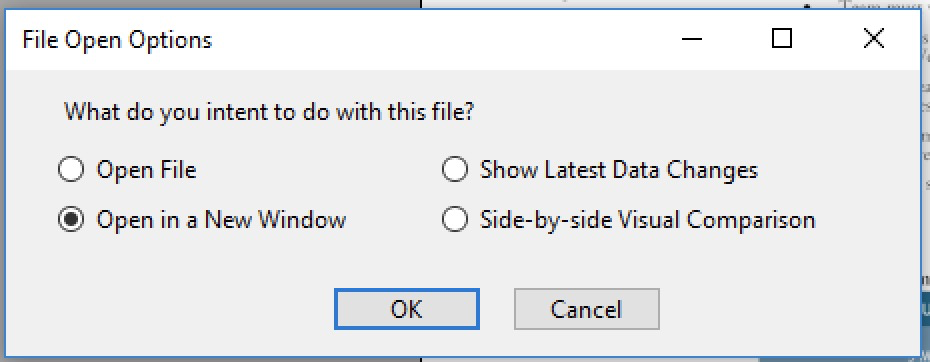
Open Mode – Alternative options for file open operation are now provided: Press Shift when clicking on a file on the popup menu for versions of the file.
Data and Visual Changes – Grackle PDF now provides a convenient comparison tool to monitor data object changes in memory, and page visual change between two files.
Parent Tree Visualization
Connection Lines – The UI shows MCID mapping by page visually, with marked sequences from XObjects also shown, in columns determined by the actual composition of the pages.
Space Insertion Wizard
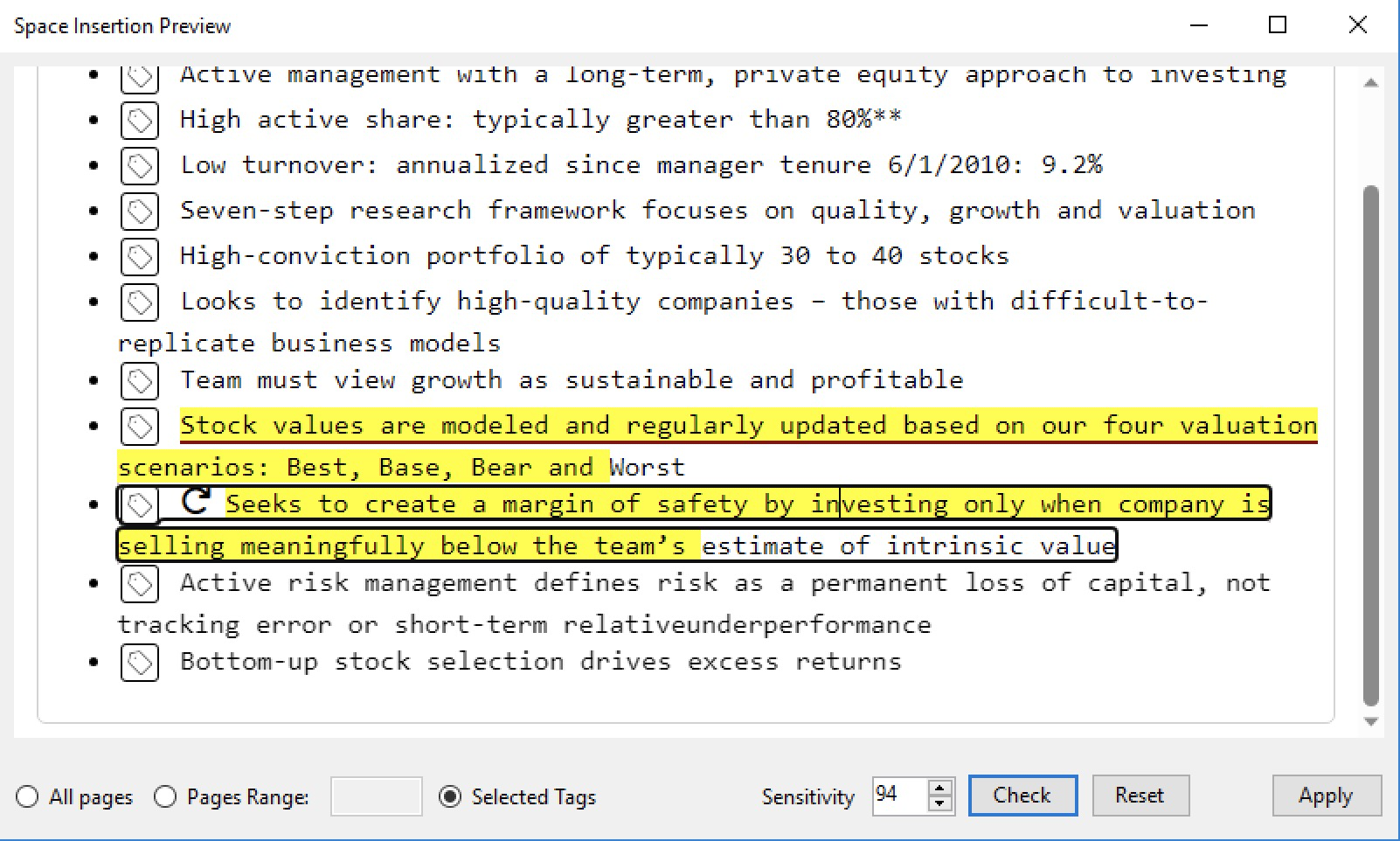
New UI – In-place preview and limited editing (on space only) is provided for best convenience. Changes actualized when you are saving the file. You can also reset the added spaces in a tag.
Embedded Space – It now always embeds a special font for space character.
Artifacts – Artifacted content will not be processed for space insertion.
Table Wizard Update
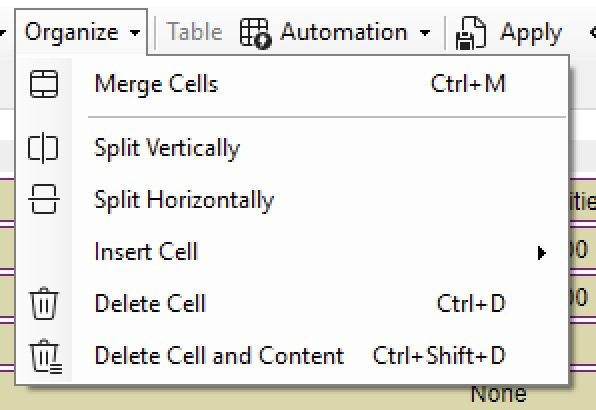
Cell deletion – Options for cell deletion or cleanup are now provided for precise control.
Cell ID uniqueness ensured, to preserve attributes on tables that demonstrate conflicting IDs, possibly resulting from table merging.