Make your PDFs more accessible in minutes, right within your browser.
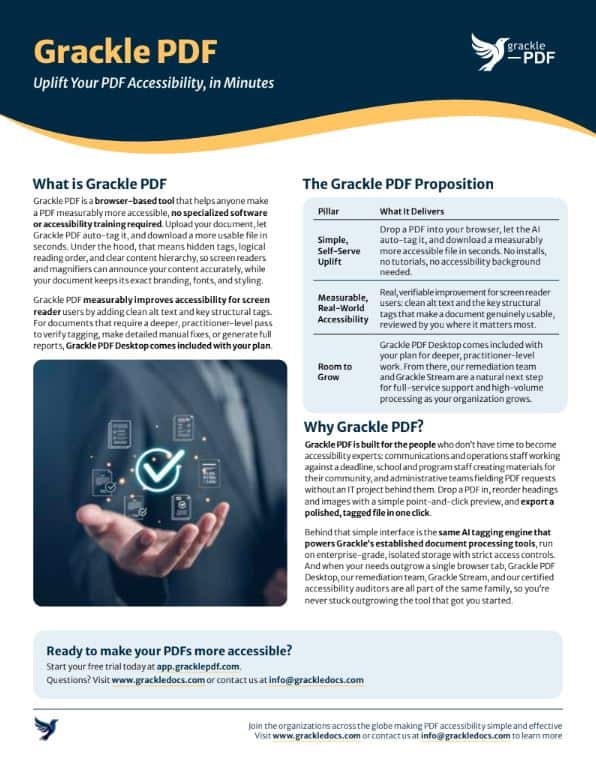
Grackle PDF is a browser-based tool that helps anyone make a PDF more accessible for end-users in minutes. Upload your document and let us auto-tag it. We do the heavy lifting, so you can uplift every user.
Easy to use • Streamlined and efficient • Private & Secure
Show Transcript
We all know PDFs need to be accessible. The trouble is it’s often complex or expensive to do that. Grackle PDF changes that. Drop your file into Grackle PDF and it gets opened instantly. One click automatically tags your document, creates reading order, adds alt text and document structure. You can edit those details if you like to, but once you’re finished, just press one button to export a fully tagged PDF which is ready to share. Grackle PDF accessibility made effortless.
Ready to make your PDFs more accessible today?
Simple steps, real progress.
For anyone who’s been told their document needs to be accessible, Grackle PDF keeps it simple. Upload your PDF, let us auto-tag it, and download your file with significantly improved usability. If you need to dive deeper, open the built-in editor for a closer look. No software tutorials or specialized accessibility background required.
Fast and intuitive.
Move through your document quickly. The auto-tag feature confirms high-confidence elements like standard text and body content, and only flags the items that actually need a human eye. No more guessing which fixes to prioritize. What used to take hours of manual review now takes minutes.
Accessibility for the real world.
Grackle PDF improves PDF usability for people using screen readers, alt text, and key structural tags. If your document needs a more defensible compliance deliverable or formal attestation, Grackle PDF Desktop, included with your Grackle PDF plan, gives you the robust practitioner-level tools to perform detailed manual fixes, verify tagging, and generate full reports.
Trusted by organizations across the globe making PDF accessibility simple and effective.
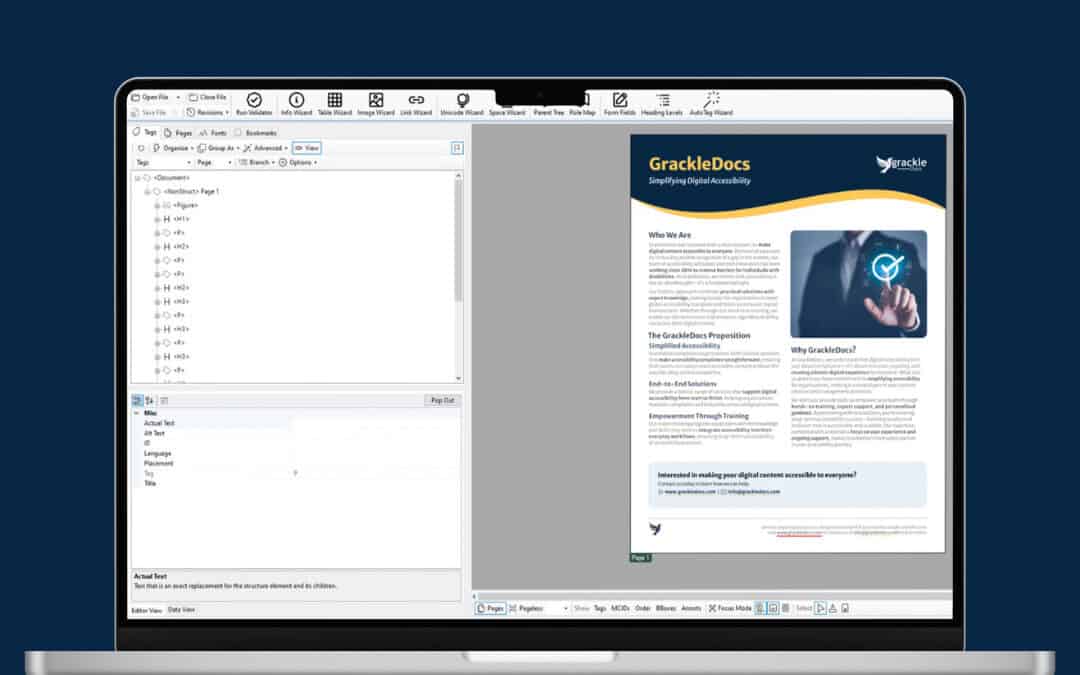
• Point-and-Click Reading Order
Who is Grackle PDF for?
Designed for busy teams. Built for fast results.
Automated Tag Tree Generation
Drop any PDF directly into your browser to begin immediately. Skip software installations, file conversions, and convoluted setup steps so you can focus straight on document usability.
Visual Reading-Order Editor
Reorder headings, text, and images using a simple point-and-click preview. Adjust document flow exactly as a screen reader will announce it, completely eliminating the need to navigate raw code or complex tag trees.
One-Click Export to PDF
Finalize your accessible document instantly. Generate a polished, ready-to-share PDF complete with structured tags, intuitive navigation, and alt text in just a single click.
Fast, Intuitive Review Interface
Move through your document in a clean, uncluttered interface built for speed. See what needs attention, make your call, and move on, without digging through menus or technical settings.
AI Auto-Detection & Automated Confirmation
Automated detection identifies headings, tables, lists, and images. High-confidence structural parts are confirmed by default, leaving only quick human checks for you.
Plain Language UI & AI-Suggested Alt Text
Work in an intuitive environment free of technical acronyms or complex standards code. Get AI-generated alt text suggestions for images to edit or accept in seconds.
Frequently Asked Questions
- How long will it take to create a more accessible PDF?
Minutes. Instead of spending hours manually tagging tags, reading order, and tables in heavy design software, Grackle PDF automatically processes and structures your document almost instantly. You get a dramatically more accessible file, leaving you only with quick, high-level decisions (like verifying alt text) rather than starting from a blank page.
- Will this tool certify that my PDF is 100% legally compliant?
No, and we’re upfront about that. Grackle PDF is a tool designed to drastically improve your PDF accessibility. It doesn’t certify, guarantee, or attest to full legal conformance standards. If you need an audit-defensible compliance deliverable, Grackle PDF Desktop, included with your Grackle PDF plan, is built for exactly that and takes it from here.
What does an accessible PDF actually look like?
Accessibility happens behind the scenes in the document’s structure. An accessible PDF contains hidden tags, logical reading order, and clear content hierarchies that allow assistive technologies like screen readers or screen magnifiers to announce headings, tables, and images accurately. To your end-readers, your document maintains its exact branding, fonts, and styling while becoming seamlessly usable for everyone.
How does the AI auto-confirmation work?
Our AI auto-tags most of your document for you – structural elements like paragraphs, tables, lists, and captions, so you’re not starting from scratch. It leaves you as the human in the loop to review the results and make the contextual calls, like image alt text or reading order, that need a person’s judgment.
Do I need to install any software?
Grackle PDF is a web app with no installation, software permissions, or browser plugins required. Just open a modern browser on Mac, Windows, ChromeOS, or Linux and get started.
If your workflow calls for something more robust, Grackle PDF Desktop is included with new plan purchases. Desktop does require installation, which some teams prefer for security, policy or workflow reasons, so you can choose the option that best fits your environment.
• Robust Wizards for Spaces, Links, Unicode and More
Built on proven technology.
Isolated & Secure Storage
Files are stored per-user with isolated storage paths, hosted on enterprise-grade cloud infrastructure with strict access controls and audit logging to protect your documents.
Enterprise Engine Foundation
Leverages the robust AI tagging engine that powers Grackle’s established document processing tools, redesigned specifically for an intuitive, step-by-step user experience.
Browser-First Security Architecture
Operates entirely within secure web protocols, ensuring your documents are processed safely without requiring local executable downloads or file permissions on your system.
Trusted by teams in
- Government
- Education
- Enterprise
- Healthcare
- Financial Services
Make your PDFs more accessible in minutes.
Processing Larger Document Volumes?
Would Rather Not Do it yourself?
Looking for Your Baseline?
